Lifeboat front page › QC photos as proof, the page you are on now
Background reading
QC photos as proof: reading the set and keeping it usable
Inspection photos decide whether you keep an item. When an agent goes quiet they also become the only evidence that your goods arrived, so they are worth reading and saving with care.
What inspection photos are for
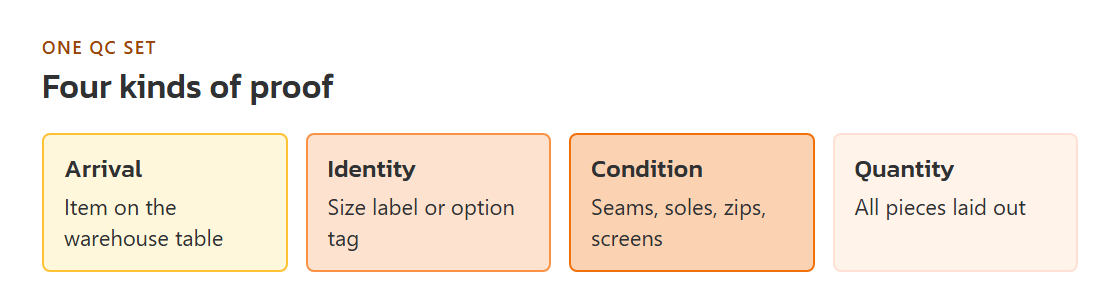
Quality check photos, usually called QC photos, are pictures the agent's warehouse takes when your item arrives. Buyers use them to decide whether to keep the item or return it while it is still in China. In an outage they gain a second job: they are often the only proof that the goods exist, that they reached the agent, and what state they were in. A photo can prove four different things, and it helps to know which one you need before you start looking.
- Arrival. Any photo of the item on a warehouse surface proves the agent received it.
- Identity. A photo of the size label, colour or option tag proves it is the variant you ordered.
- Condition. Close photos of seams, soles, zips or screens show whether it arrived damaged.
- Quantity. A photo with all pieces laid out proves the count.
One QC photo set, read in order
Reading QC photos well is the same skill whether you are deciding to keep an item or building a case later. Go through the set in this order, and write one line per photo.
- Find the identity photo first. Look for the size label or the option tag. If none of the photos shows it, ask for one before anything else; without it you cannot tell whether a problem is a defect or the wrong variant.
- Compare overall shape and colour with the listing. Warehouse lighting runs cool and flat, so judge colour against the seller's photo of the same option, not against the hero image.
- Check where things are joined. Seams, glue lines on shoes, zip ends, hinge screws on glasses. These are where faults show.
- Read any measurement. If a tape is in the frame, compare it with the seller's size chart, allowing the error the seller states.
- Count. Pairs, accessories, straps, dust bags. Missing parts are simplest to sort out before the parcel leaves the warehouse.
The terms GL and RL turn up in community threads: a GL verdict says keep the item, an RL verdict says send it back or swap it. They are a buyer's verdict, not the agent's, and they mean nothing to a payment provider. Describe the problem in plain words instead.
Saving photos so they still count later
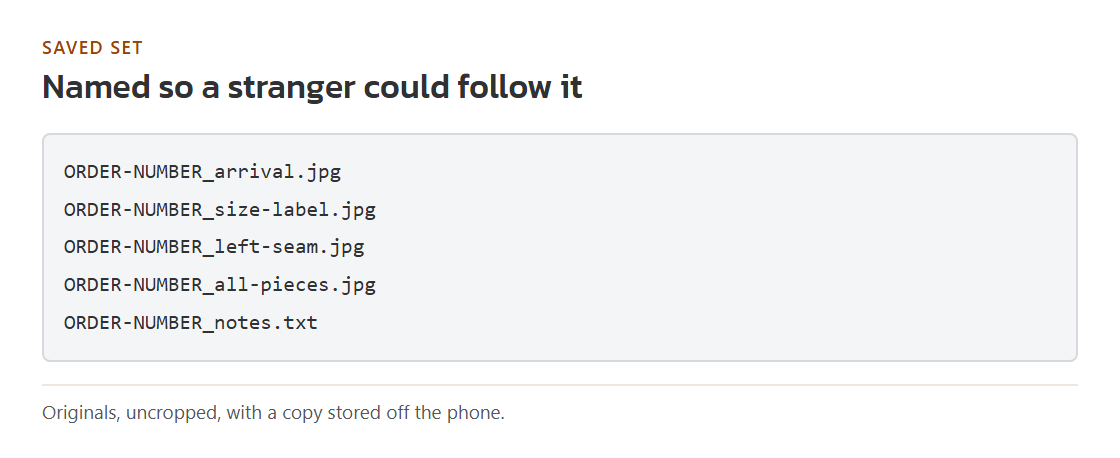
A photo is better evidence when it has not been touched. Download the original files from the agent's page or email rather than screenshotting them, and do not crop, filter or compress. Name each file with the order number and a short label, such as the order number followed by "size-label". Keep a copy outside your phone. If photos came through a chat app, export them from the chat; forwarding often strips the date.
Minimum photo record for one item
- The original files, uncropped
- The order number in each file name
- The date the photos were sent, from the email or chat
- One line per photo saying what it shows
- A copy stored somewhere other than your phone
Pandagoo's saved text promised five photos per item and three per parcel by default, with extra photos free. Its customs note says every incoming package was opened for a prohibited items check, which explains photos of opened packaging.
Photos when the goods never reach you
If goods stay in a warehouse you cannot reach, the QC photos stand in for them. When you write to your payment provider, attach the identity photo and the arrival photo first; they show the goods were bought and received. Add condition photos only if condition is part of your problem. Keep the message short and let the photos carry the detail.